

As a supplier of power secondary equipment, I am often asked about the installation and commissioning steps for our products. In this blog post, I will provide a detailed guide on how to install and commission power secondary equipment, ensuring that it operates safely and efficiently.
Pre - installation Preparation
Before starting the installation process, it is crucial to conduct thorough preparation. First, review the equipment specifications and installation manuals provided by the manufacturer. These documents contain essential information about the equipment's dimensions, electrical requirements, and installation procedures.
Next, prepare the installation site. Ensure that the site is clean, dry, and well - ventilated. The floor should be level and able to support the weight of the equipment. Check the electrical supply at the site to make sure it meets the equipment's voltage and current requirements.
Gather all the necessary tools and materials for the installation, such as screwdrivers, wrenches, cable cutters, and cable ties. It is also important to have safety equipment on hand, including safety glasses, gloves, and hard hats.
Installation Steps
1. Unpacking and Inspection
Carefully unpack the power secondary equipment and inspect it for any damage during transit. Check all the components, cables, and accessories to ensure they are complete and in good condition. If any damage is found, contact the manufacturer immediately for replacement.
2. Mounting the Equipment
Most power secondary equipment needs to be mounted on a suitable surface, such as a wall or a rack. Follow the mounting instructions in the manual. Use appropriate fasteners to secure the equipment firmly. Make sure the equipment is level and aligned correctly to prevent any stress on the components.
3. Wiring
Wiring is a critical step in the installation process. First, identify the different types of cables, such as power cables, signal cables, and communication cables. Connect the power cables to the appropriate power source, following the correct polarity.
When connecting signal and communication cables, pay attention to the pin - out and color - coding. Use cable ties to organize the cables and prevent them from getting tangled. Make sure all the connections are tight to avoid any loose connections that could cause malfunctions.

4. Grounding
Proper grounding is essential for the safety and proper operation of power secondary equipment. Connect the grounding cable of the equipment to a reliable grounding point. The grounding resistance should be within the specified range. A good grounding system can protect the equipment from electrical surges and reduce the risk of electrical shock.
Commissioning Steps
1. Visual Inspection
Before powering on the equipment, conduct a final visual inspection. Check all the connections, cables, and components to ensure they are properly installed and secured. Look for any signs of loose wires, damaged insulation, or other potential problems.
2. Power - on Test
Once the visual inspection is complete, it is time to power on the equipment. Start by turning on the main power switch and observing the equipment's startup process. Check the display panels or indicators for any error messages. If there are any error messages, refer to the troubleshooting section of the manual to identify and resolve the issue.
3. Function Testing
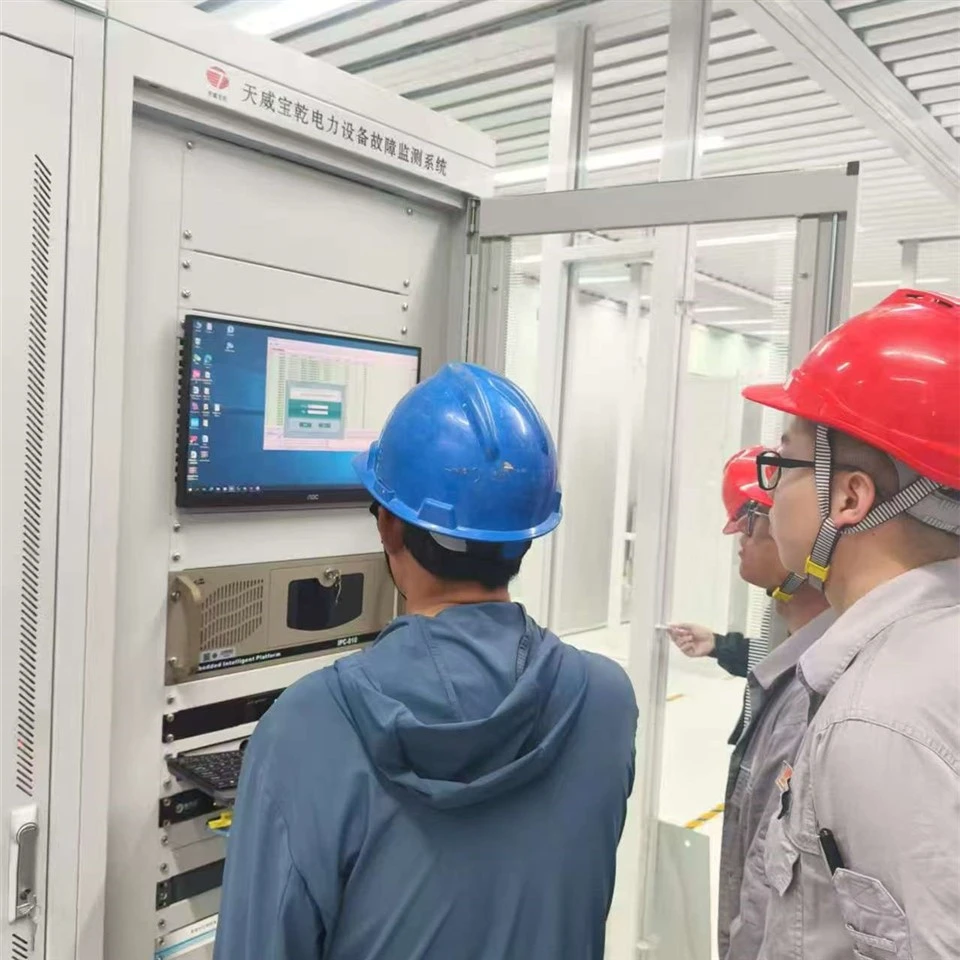
After the equipment has successfully powered on, perform function testing. This involves testing all the functions of the equipment, such as measurement, control, and communication. For example, if it is a Cable Fault Location System, test its ability to accurately locate cable faults. If it is a Nano - particle Detection System, check its detection accuracy.
4. System Integration
If the power secondary equipment is part of a larger system, integrate it with other components. Test the communication between different devices to ensure seamless operation. For example, if the equipment is connected to a Transformer Core Grounding Current On - line Monitoring System, verify that the data can be transferred correctly between the two systems.
5. Performance Evaluation
After the function testing and system integration, evaluate the performance of the equipment. Compare the actual performance with the specifications provided by the manufacturer. If there are any deviations, adjust the settings or troubleshoot the problem.
Post - commissioning Follow - up
Once the equipment has been successfully commissioned, it is important to provide post - commissioning support. This includes training the end - users on how to operate and maintain the equipment. Provide them with user manuals, maintenance schedules, and troubleshooting guides.
Regularly monitor the equipment's performance to ensure its long - term reliability. Conduct periodic maintenance, such as cleaning, calibration, and component replacement. Keep records of the maintenance activities and any problems that occur.
Conclusion
Installing and commissioning power secondary equipment requires careful planning, attention to detail, and strict adherence to the manufacturer's instructions. By following the steps outlined in this blog post, you can ensure that the equipment is installed correctly and operates safely and efficiently.
If you are interested in purchasing our power secondary equipment or have any questions about the installation and commissioning process, please feel free to contact us. We are committed to providing high - quality products and excellent customer service.
References
- Manufacturer's installation and operation manuals for power secondary equipment.
- Electrical safety standards and regulations.